people tracking right now · total users
Free · macOS · Local-first · No account

See where your
day actually
went.

Automatic Mac productivity tracking — honest, local, and free

GRINDMAXX automatically tracks every app, website, focus block, and distraction on your Mac. It scores your day honestly and helps you beat yesterday — no account, no subscription, no data leaving your machine.

Local-first · No account · No subscription · Your data stays on your Mac

Mog your past self. Every single day.
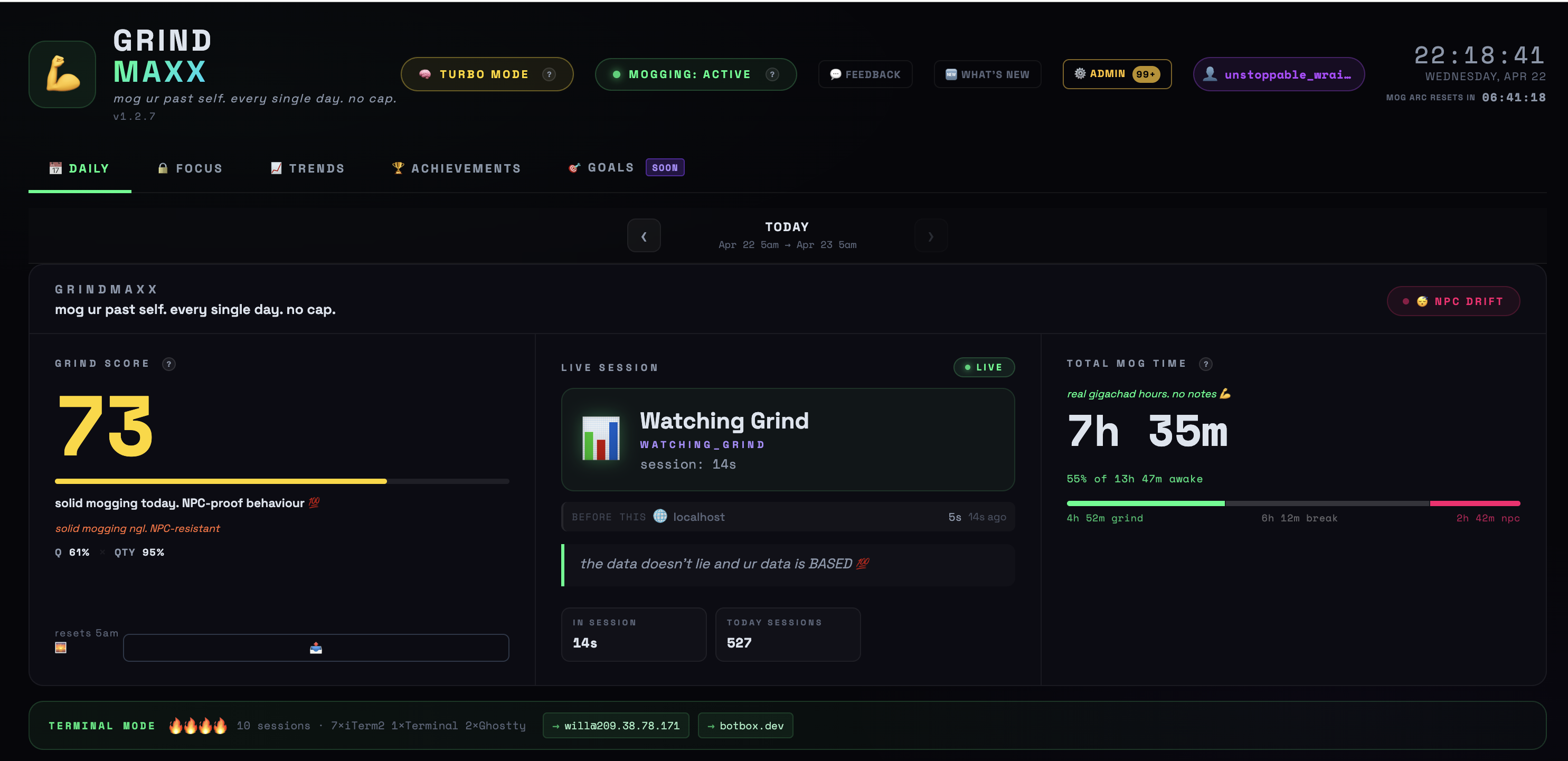
localhost:6969 — GRINDMAXX 💪
GRINDMAXX dashboard
Tracking Right Now
Total Users
Scores Posted to Wall

You feel busy.
Your Mac knows the truth.

Most people have no idea where their time actually goes. They feel productive because they were at a computer all day — but busy and productive aren't the same thing. GRINDMAXX measures the difference.

You opened Slack 47 times today. Each one cost you 8 minutes of refocus time you never got back.
🌀
That "quick Reddit break" was 38 minutes. Three times.
📉
You had 9 hours of tracked time. Only 3h 20m were actually productive by any reasonable measure.

Three steps. Zero effort.

01
Install and forget
Double-click the app. It runs silently in your menu bar, tracking every focused app and website automatically. No setup, no configuration required.
02
It scores your day
Every session is categorised and weighted. Coding, AI work, deep research — productive time is counted. Social media, idle time, and doomscrolling are counted separately.
03
Beat yesterday
Open the dashboard and see exactly where your day went. Your score is waiting. Classify your sites, review your patterns, and try to top your previous best.
DAILY SCORE

No vibes.
Just receipts.

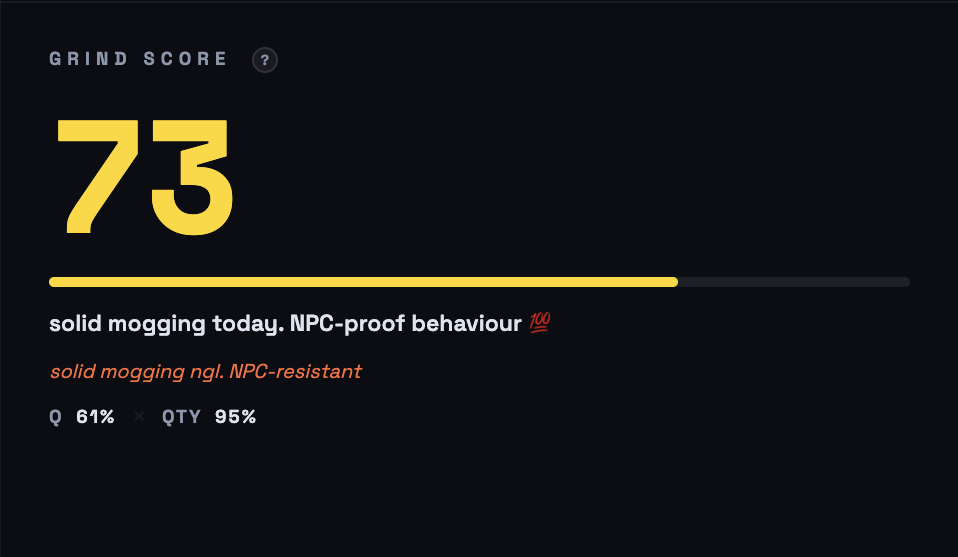
GRINDMAXX scores every minute of your day based on what you actually did — not how you felt about it. Two scores, updated in real time.

  • Rizz Score — quality of your focused time. High-value work like coding and AI research counts more than meetings or email.
  • Grind Score — the headline number. Combines quality and quantity so you can't game it with short intense bursts alone.
  • Deep Work blocks — every unbroken 20+ min session automatically detected and logged.
  • Idle and away time — tracked separately so it never inflates your score.
localhost:6969 · DAILY
score panel
DISTRACTION INTEL

Stop guessing
where time went.

Every app session is categorised and weighted. The breakdown shows whether you were actually building — or just looking busy at a screen.

  • Category breakdown — Coding, Terminal, AI, Design, Comms, and Browsing each tracked separately.
  • App-level detail — every app listed with time, session count, and productivity rating.
  • Browser URL tracking — distinguishes StackOverflow from Reddit. Same browser, different score.
  • Distraction totals — social media, YouTube, and doomscrolling named, timed, and called out.
localhost:6969 · MOG BREAKDOWN
breakdown chart
FOCUS INTELLIGENCE

Deep work detected.
Shallow work exposed.

Not all productive time is equal. The Focus tab measures how deeply you worked — because 6 hours of fragmented attention is not the same as 3 hours of locked-in flow.

  • Focus Stability Score — based on context switches per hour. Most people are shocked by their number.
  • Deep Work blocks — every unbroken 20+ min session automatically detected and shown as a timeline.
  • Idle Meter — see active vs idle vs away time across the day in 30-min buckets.
  • AI debrief — optional daily narrative summary powered by Claude or OpenAI (API key required).
localhost:6969 · FOCUS
focus tab
ACHIEVEMENTS

Earn trophies.
Build streaks.

Consistency compounds. GRINDMAXX tracks your momentum over time — streaks, milestones, and trophies that reflect real work, not participation.

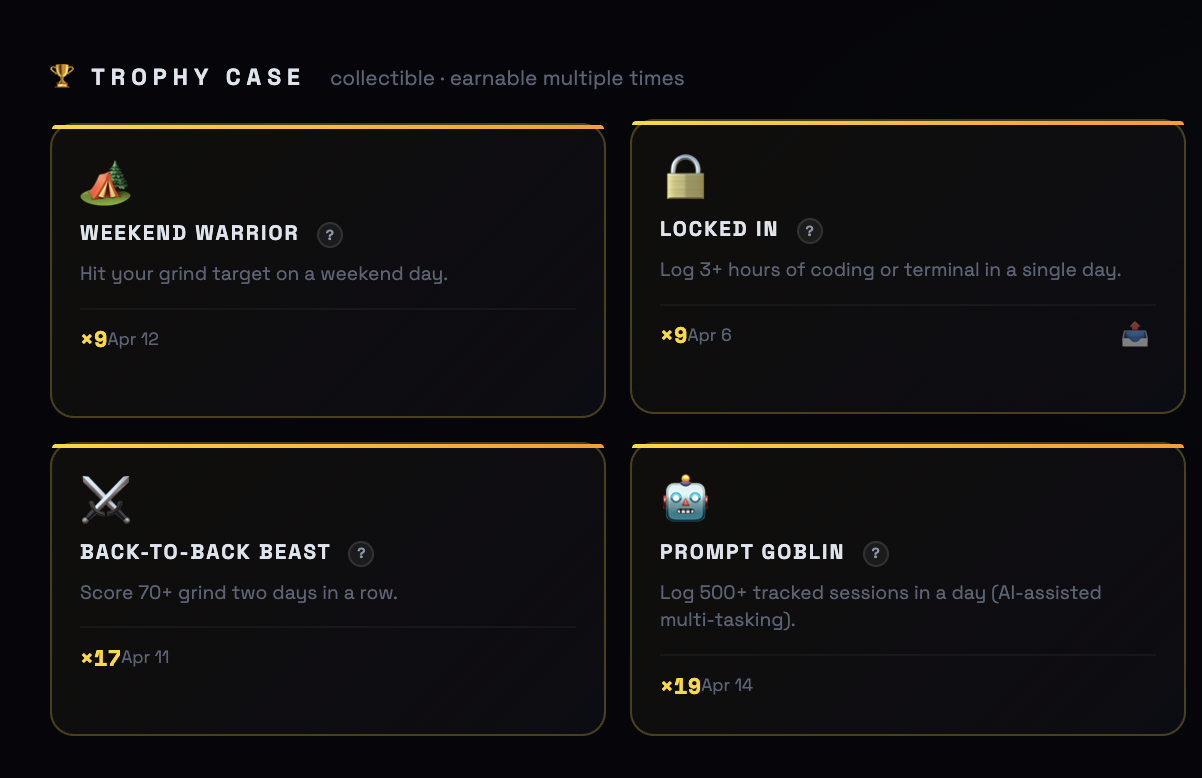
  • Trophy Case — unlockable achievements for coding hours, streak milestones, deep work blocks, and long-term goals.
  • Active Streaks — Daily Grind, Deep Work, No Distractions, Weekend Warrior. Streaks reset the day you miss. That's the point.
  • 30-day Trends — see your score history as a chart and identify when you fell off and why.
  • Share to the Wall — post your score or a trophy to the community feed if you want an audience for your arc.
localhost:6969 · ACHIEVEMENTS
achievements tab
DAILY MOMENTS

Your best sessions.
Your biggest time sinks.

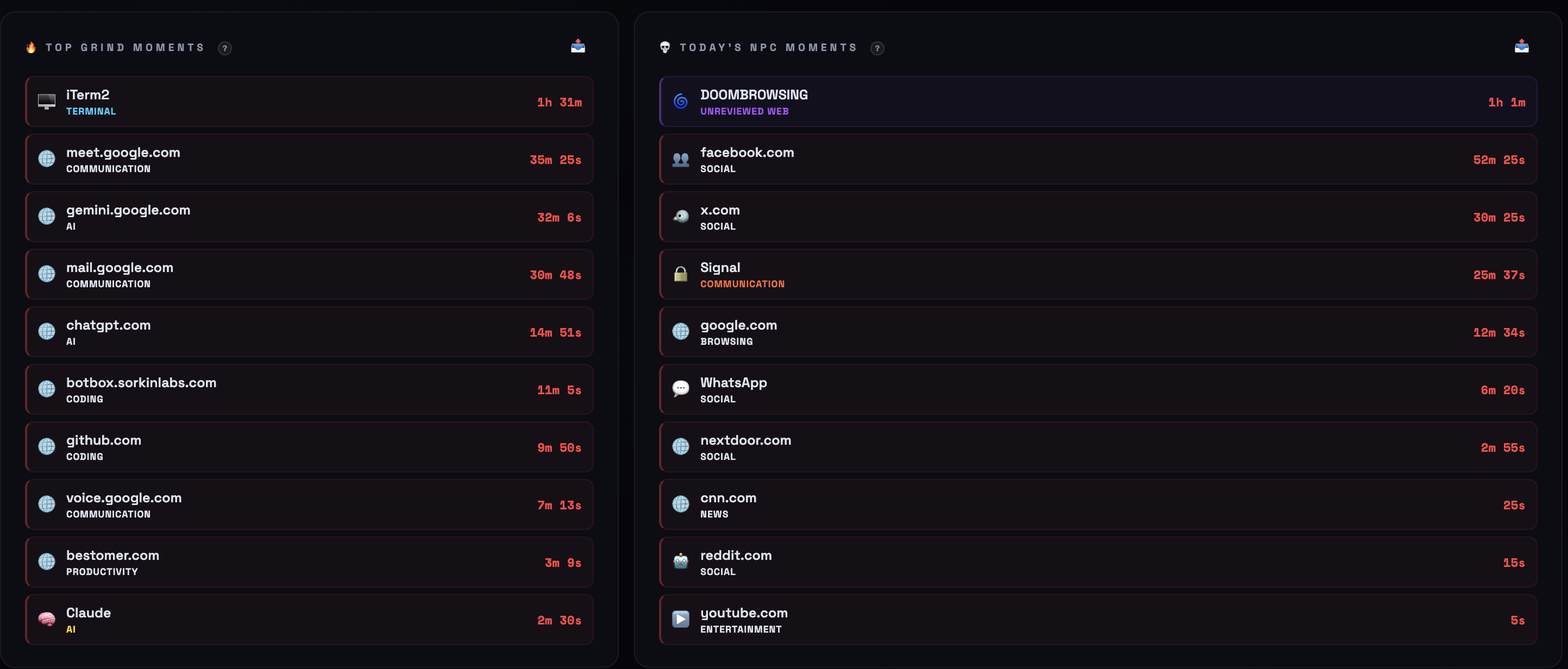
GRINDMAXX ranks every session from your day and surfaces the ones that defined it — your highest-value work on the left, your biggest time sinks on the right. No narrative. Just the data.

  • Top productive sessions — your highest-value sessions ranked by time and impact.
  • Biggest distractions — social media, doomscrolling, and idle time named individually with exact durations.
  • Side-by-side view — see the full contrast of your day in one glance.
  • Exact detail — every entry shows the specific app or domain, not vague category buckets.
localhost:6969 · DAILY MOMENTS
daily moments
BROWSER CONFESSIONS

Know which sites helped —
and which ones robbed you.

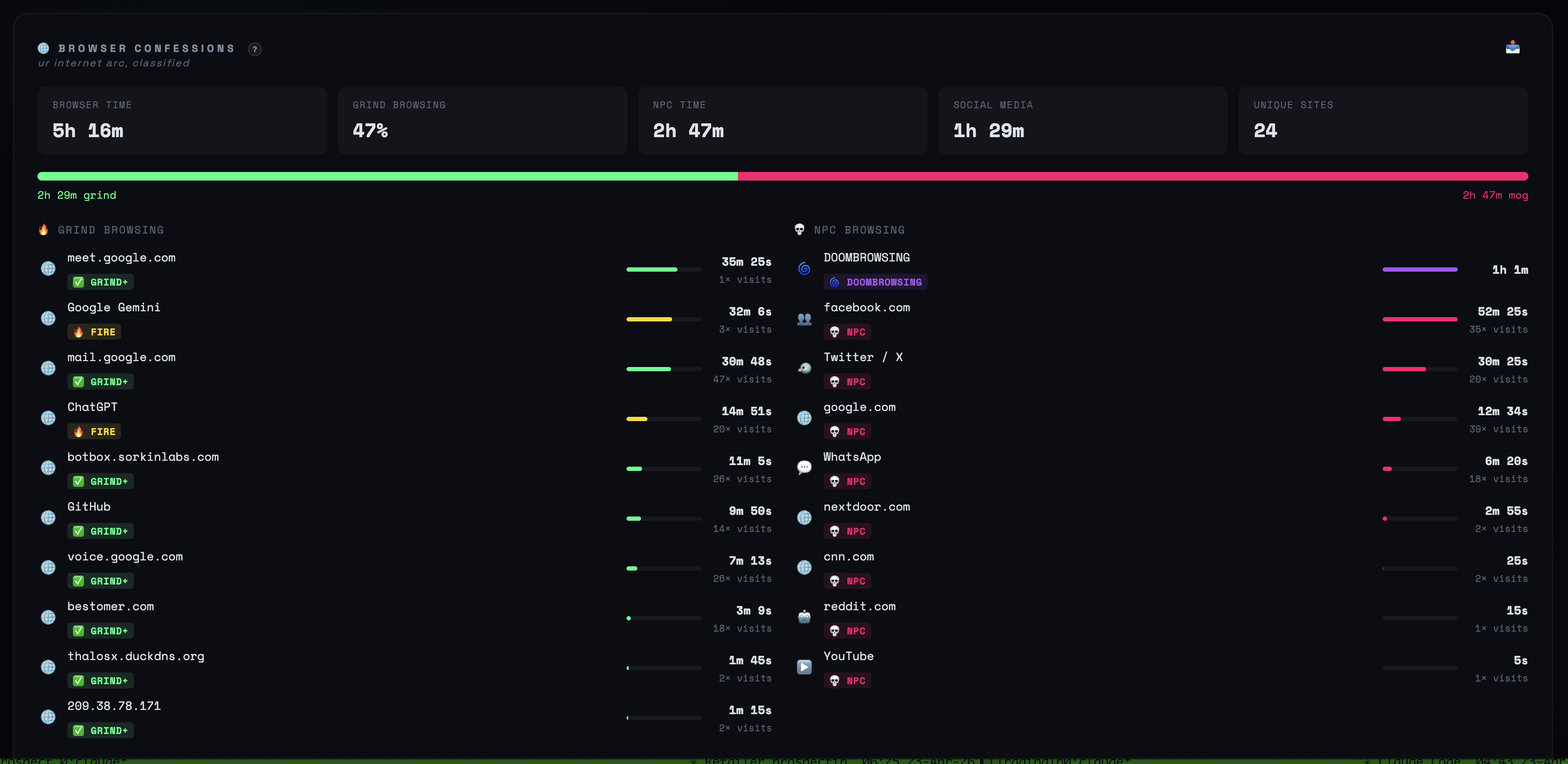
GRINDMAXX reads your browser's active tab URL and scores every site you visited — not just the app. See exactly how your internet time splits between research and rabbit holes.

  • Productive vs distracting split — a single bar that shows the ratio at a glance.
  • Site-by-site detail — every domain with time on site, visit count, and productivity rating.
  • Biggest time sink flagged — your single most distracting site surfaced at the top.
  • Social media total — all social and entertainment time rolled into one number you can't avoid.
localhost:6969 · BROWSER CONFESSIONS
browser confessions
MEETING INTEL

See when calls helped,
hurt, or shattered your attention.

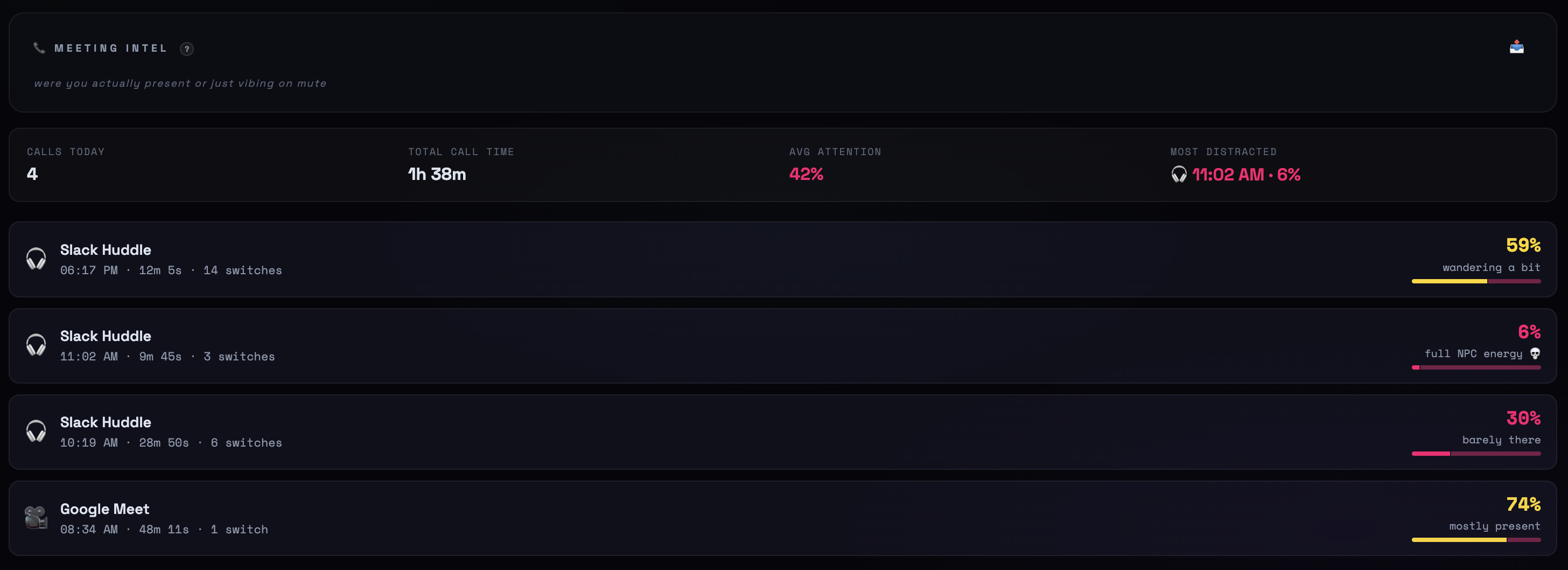
GRINDMAXX scores your attention during every call — not just whether you showed up, but whether you were actually engaged. Context switching during a meeting is the tell.

  • Attention score per call — measured by how much you switched away during the meeting.
  • Total call time — daily rollup across Zoom, Slack, Google Meet, and Teams.
  • Most distracted moment — the call with the worst attention score, flagged automatically.
  • Per-call verdict — from "mostly present" to "barely there" — no self-reporting, just data.
localhost:6969 · MEETING INTEL
meeting intel

Trends. Classification. The Wall.

30-day history charts, automatic URL classification, and an opt-in community feed where people post their scores and trophies.

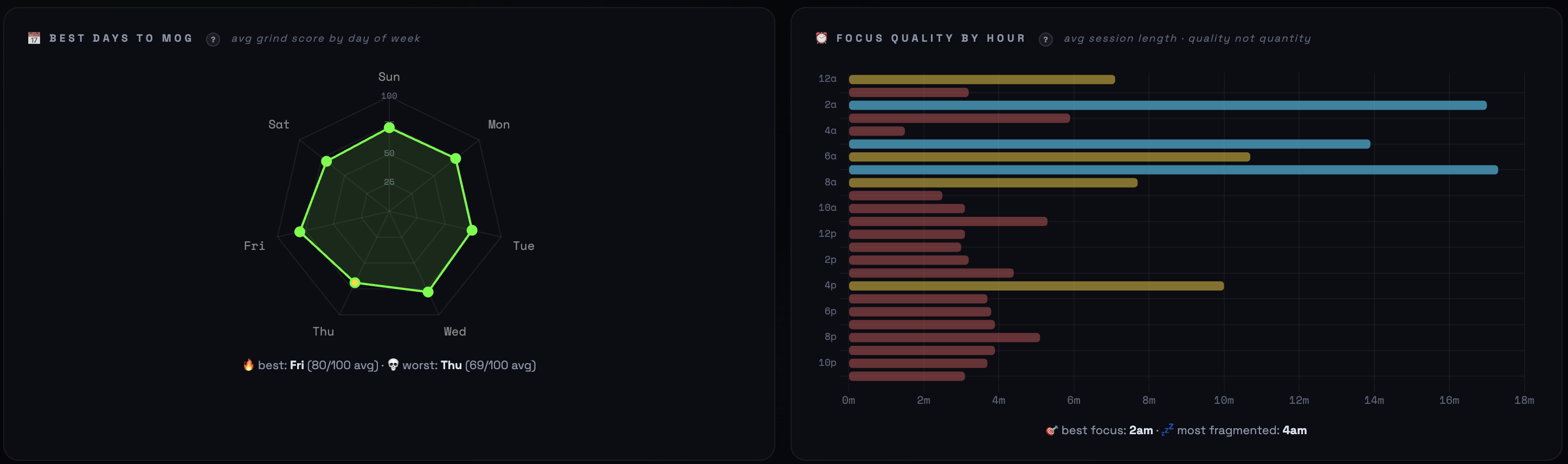
📈 TRENDS
TRENDS · 30-day history
trends chart
Track your score over 30 days. Spot patterns, identify your weak days, and watch momentum build.
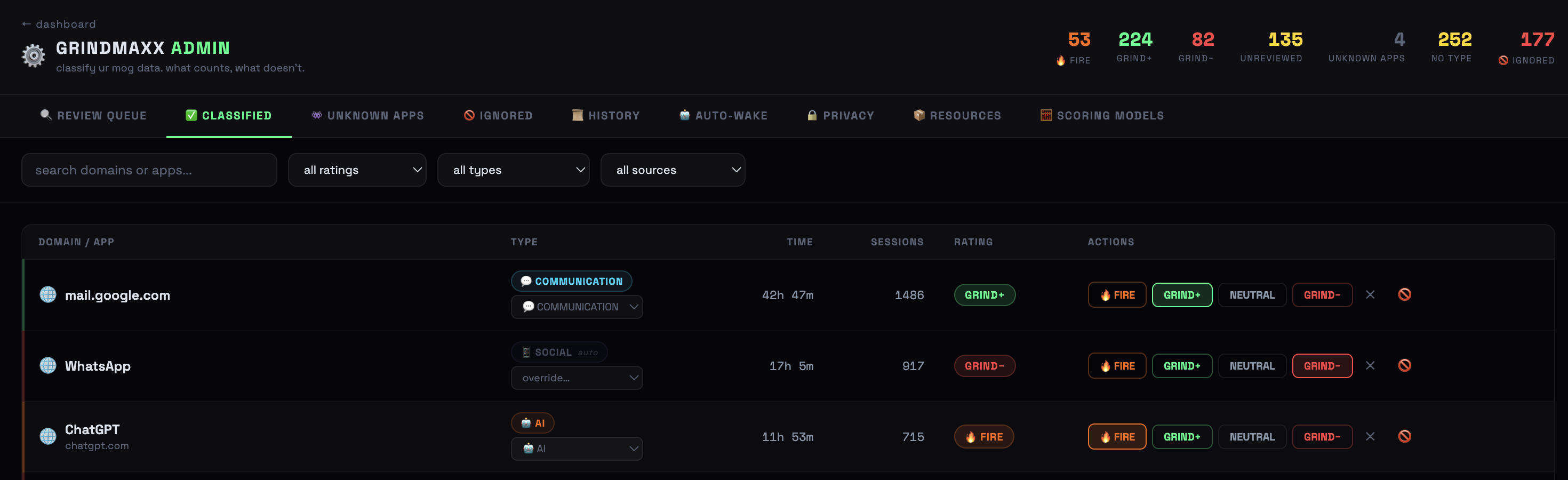
⚙️ CLASSIFICATION
localhost:6969/admin · CLASSIFIED
admin classified
Hundreds of sites auto-classified out of the box. Review, tune, and override how your time is counted.
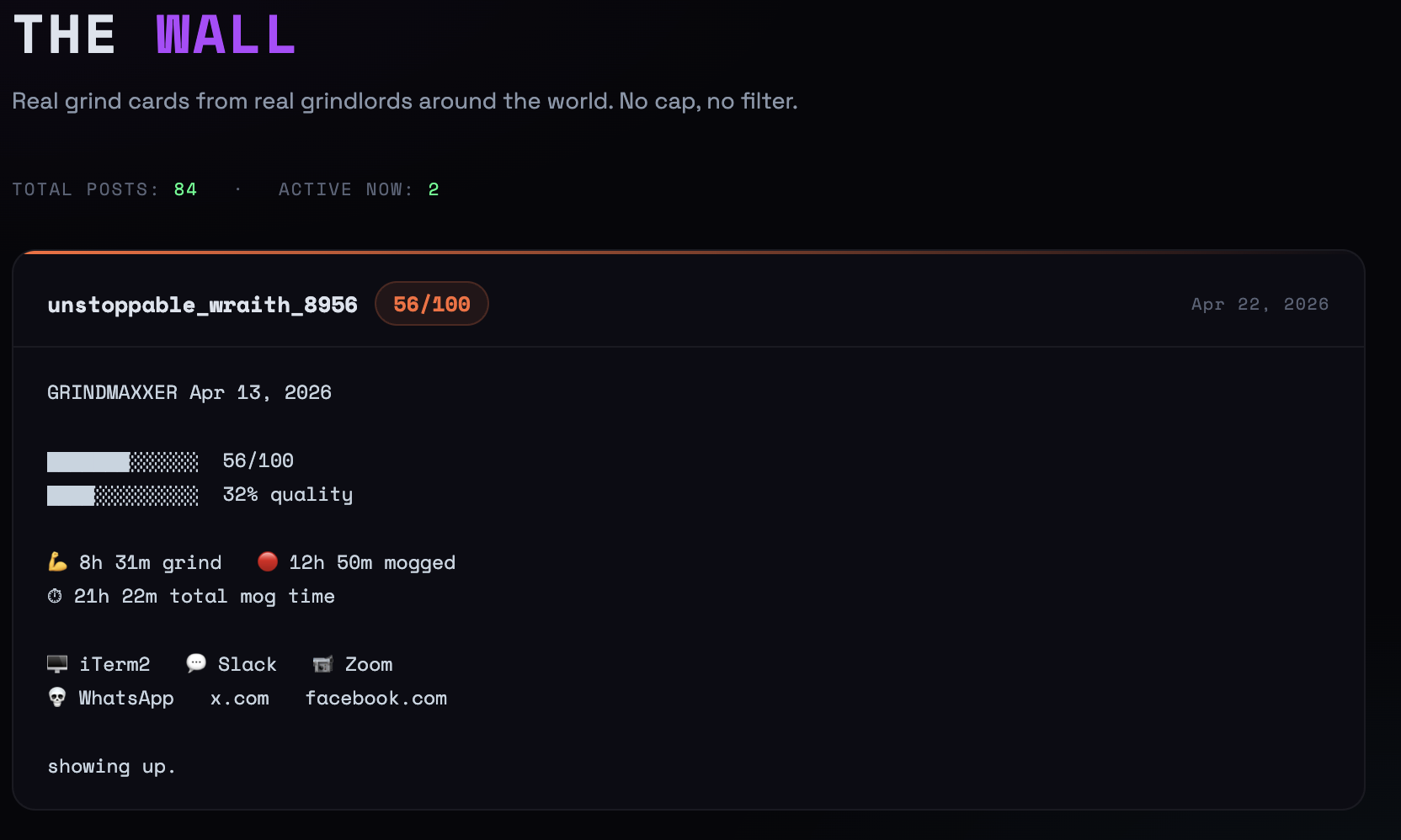
💀 THE WALL
grindmaxx.app/wall
the wall
Opt-in community feed. Post your score or a trophy when you want an audience. Nothing is shared automatically.

Your data stays on your machine.

GRINDMAXX is not a data play. Your browsing history, app sessions, and URLs never leave your computer. The only thing that hits the internet is what you choose to flex.

🔒
Browsing stays private.
Every URL, every app session, every tab — local SQLite only. Incognito windows always skipped. We can't see it even if we wanted to.
📤
Only you decide what's shared.
Grind scores and trophies only hit the Wall when you hit post. Raw sessions never leave your machine. Ever.
💸
Not a data monetization play.
No ads. No selling data. No "analytics partners." Built for people serious about their time, not a platform to extract value from them.
🫥
No account. No tracking.
No signup, no email, no telemetry. A random UUID is generated locally — that's your identity. We genuinely don't know who you are.
🏆
Share Ws. That's it.
The Wall is opt-in accountability. Post your score, your grind hours, your trophies. No DMs. No algorithm. No engagement farming.
🗑️
Delete everything, anytime.
Configurable retention in the admin panel. Wipe your entire history by deleting one folder. No backup on our end. Clean break.
full privacy statement →
Know where your day went by tomorrow.

Start tracking.
Beat yesterday.

Free. Local. No account. No subscription. Download GRINDMAXX, run it on your Mac, and get an honest scorecard for your workday.

⬇ Download Free for macOS

macOS · Apple Silicon + Intel · No account · No subscription